![White_Bowimi_Logo_2025.png]](https://help.bowimi.com/hs-fs/hubfs/White_Bowimi_Logo_2025.png?height=40&name=White_Bowimi_Logo_2025.png)
Pre-Requisites:
1. You must have Admin/Manager access to set “Requires Contact” on Tags.
2. If you do not see the admin tab or cannot perform the actions, please contact your leadership team or Bowimi Support.
Steps:
-
Navigate to Admin Tab on the account.
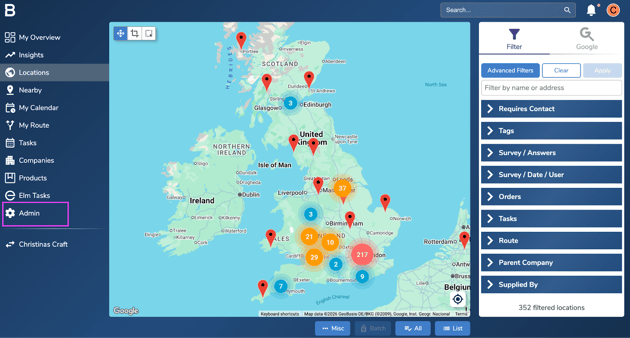
- Click on the Tags tab to access the current tags active on the platform.
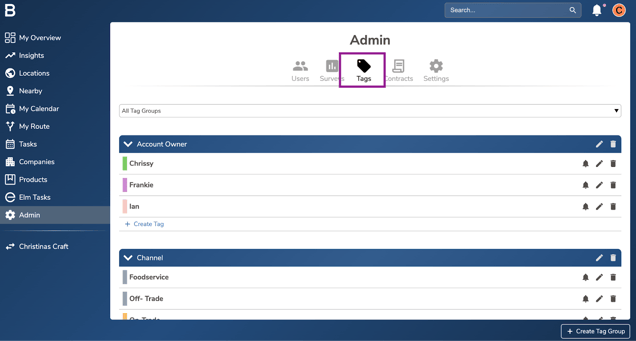
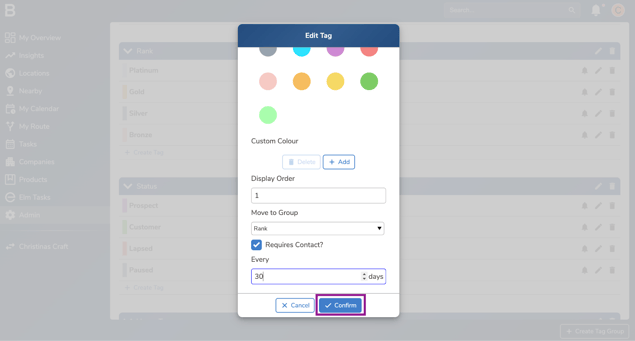
- In the Tag tab, select the edit button next to the tag you would like to set up the “Requires Contact” frequency with.
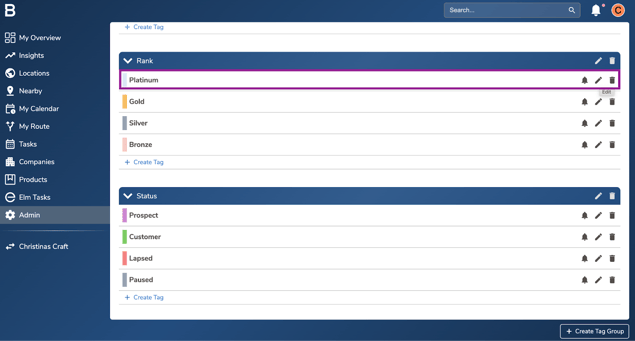
- Click on the Check Box next to “Requires Contact” and add the days you would like the venues to be contacted within.
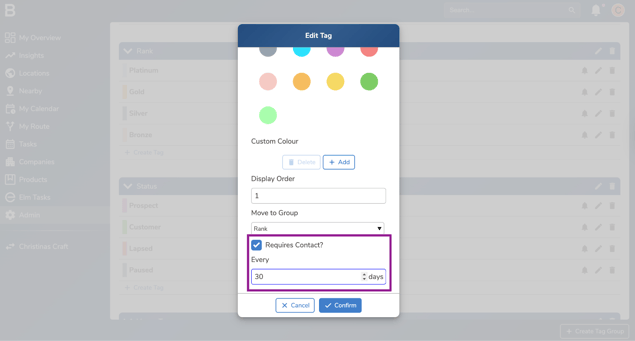
- Click “Confirm” to save the frequency on the system.
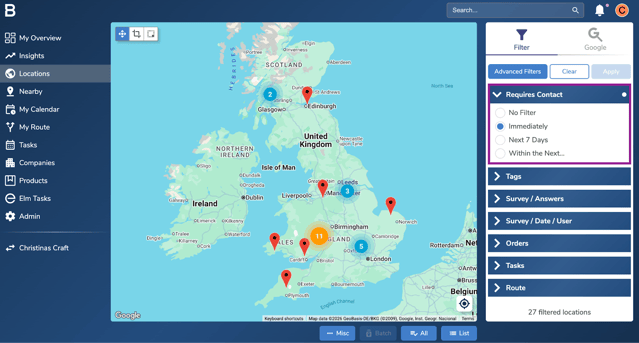
- Navigate to the locations and use the “Requires Contact filter” to access the accounts that need immediate contact or in coming days.
Troubleshooting:
- Still having issues?
- Contact the Bowimi Support Team for help.