![White_Bowimi_Logo_2025.png]](https://help.bowimi.com/hs-fs/hubfs/White_Bowimi_Logo_2025.png?height=40&name=White_Bowimi_Logo_2025.png)
Note: You can also have multiple profiles per distributor or even for your direct orders to allow for different channel pricing. E.g. On-Trade, Off-Trade & Grocery pricing.
Pre-Requisites:
-
You must have a distributor added for this to populate or use the Direct company.
-
If you don’t have permissions, please contact the admin to have it created.
Distribution Profile Email
Steps:
-
Navigate to the Companies tab.
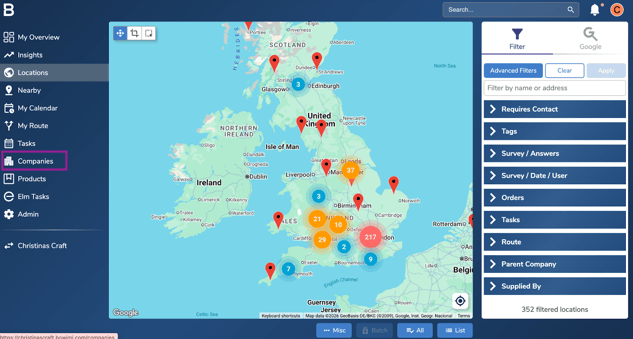
-
Select the distributor you wish to set up a profile for (or your company for direct).
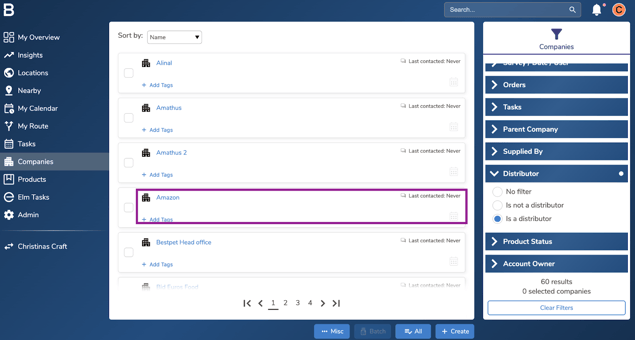
-
On the desired distributor, Click the “Distribution” tab.
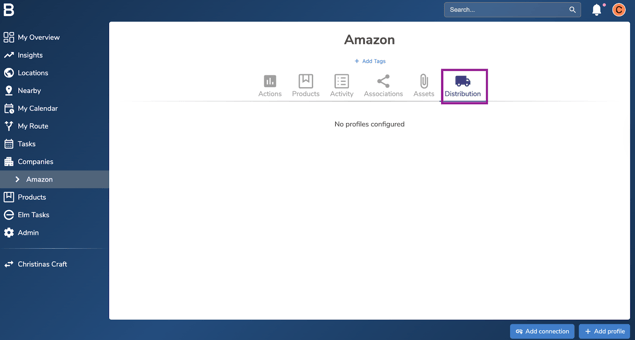
-
At the bottom corner, click “Add Profile”.
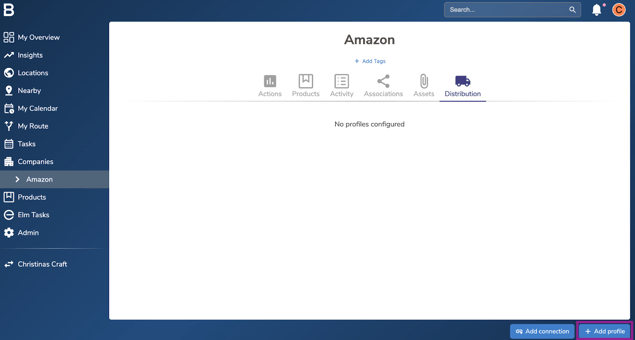
-
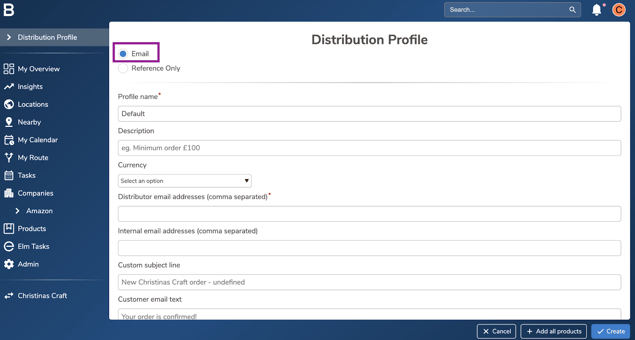
On the profile builder page, ensure “Email” is selected.
-
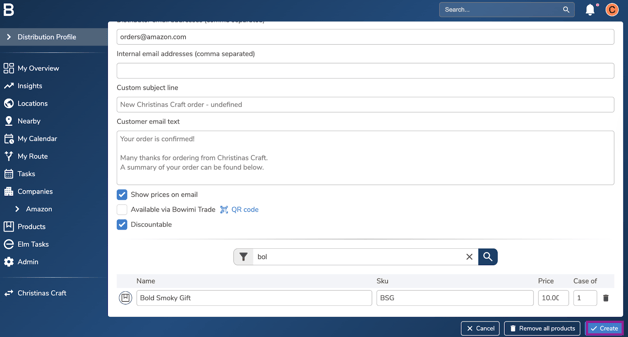
Add in the currency and details of the distributor to receive the order email.
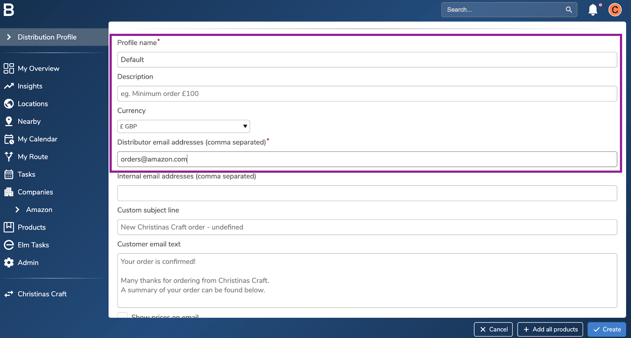
Note: If the profile is for your own team (Direct) then this should be your orders email address. You can add multiple email addresses to this by separating them with a comma. E.g. orders@amazon.com, orders@bowimi.com
-
Add the products supplied by this company using the search bar and input prices for each case.
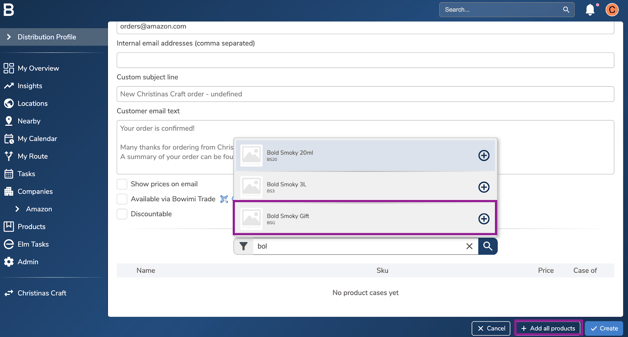
Note: “+ Add All Products” to add all the products in the system.
-
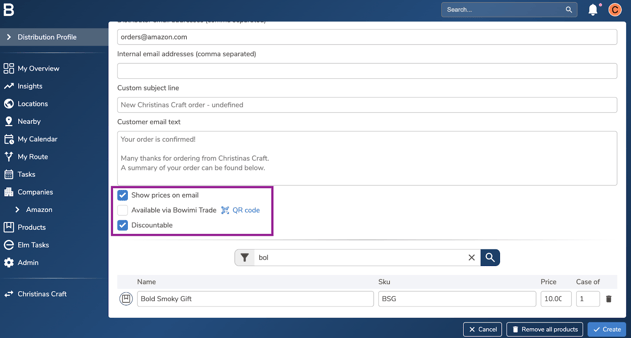
Mark the boxes if you wish to show prices on email, need a QR code to order or Add discounts for the team.
-
Click “Create” to set it live for your team to place order through.
Distribution Profile Reference
Steps:
-
Follow the steps 1-4 provided above.
-
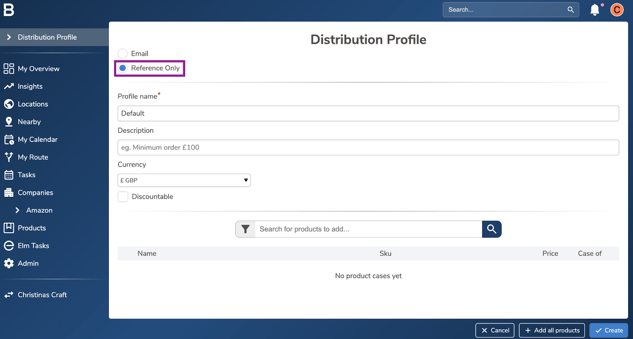
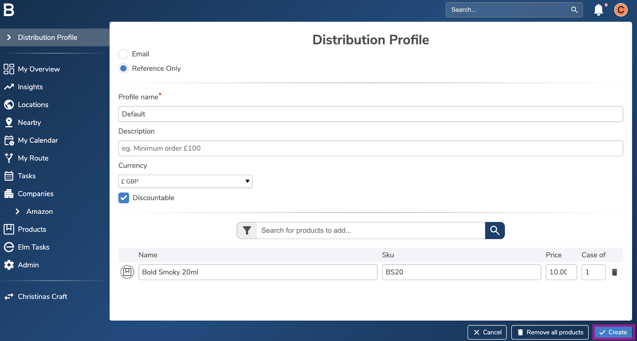
On the profile builder page, ensure “Reference Only” is selected.
-
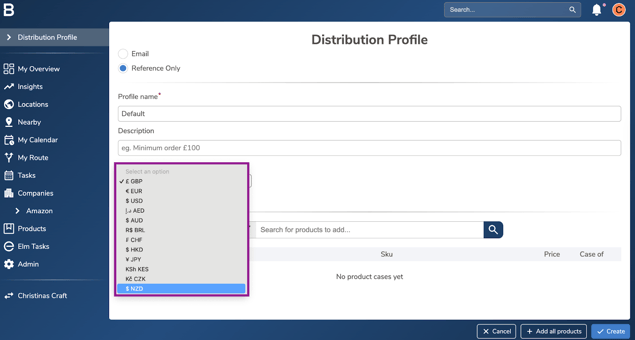
Select currency to store the line total and make it discountable if needed.
-
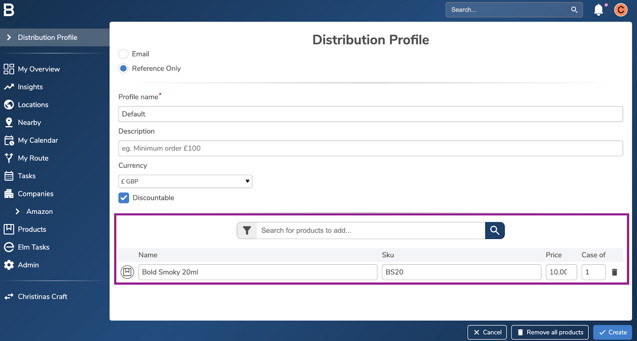
Search for the products to add on the order profile or simply include all using “+All products” button. Input the price for each case.
-
Click “Create” to set it live for your team.
Troubleshooting:
-
Issue with the profiles?
-
Ensure the order profiles are configured for the appropriate distributor.
-
Keep each distributor’s product list up to date within its order profile.
-
-
Still having issues?
- Contact the Bowimi Support Team for help.
- Contact the Bowimi Support Team for help.