![White_Bowimi_Logo_2025.png]](https://help.bowimi.com/hs-fs/hubfs/White_Bowimi_Logo_2025.png?height=40&name=White_Bowimi_Logo_2025.png)
Steps:
-
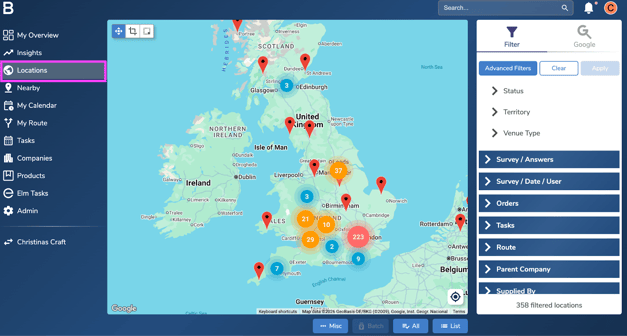
Go to the Locations tab.
-
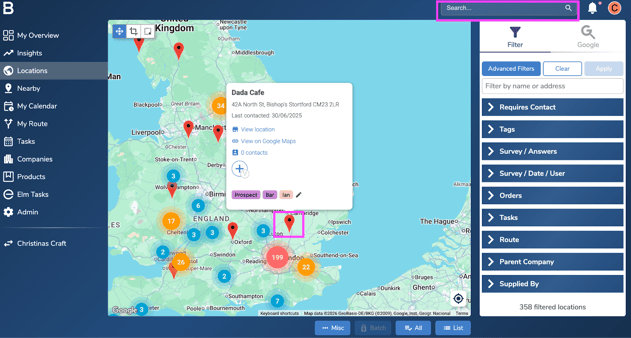
Click on the red pin of your choice from the map or type the venue name you want to update associations for in the top search bar.
-
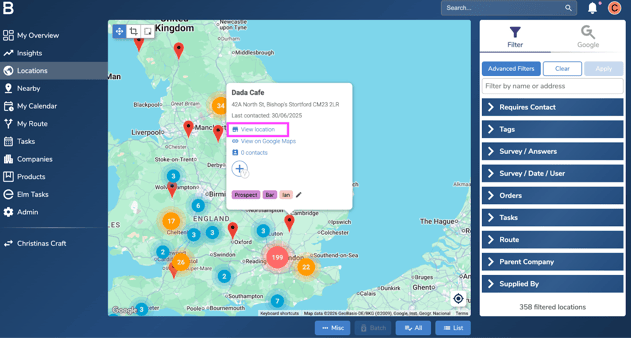
On the summary card view, click “View Location” and Navigate to the “Associations”.
-
On the Associations Tab:
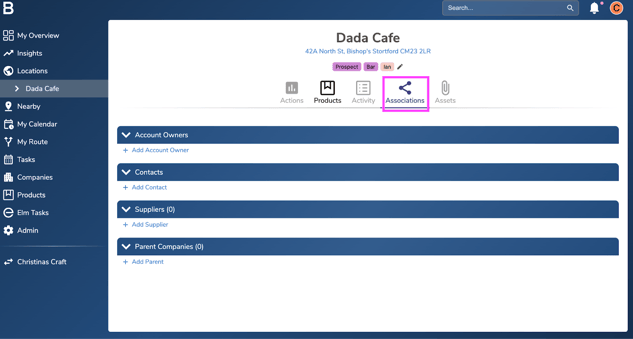
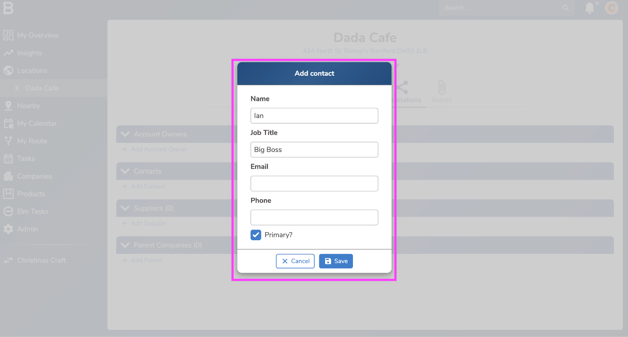
- Contacts: You are able to create contacts for every location and company you have in Bowimi. This allows you to easily keep track of the key individuals for all of your customers.
Contacts allow you to record:
-
Name
-
Job title
-
Email
-
Phone number
-
If that person is a primary contact (Denoted by the star)
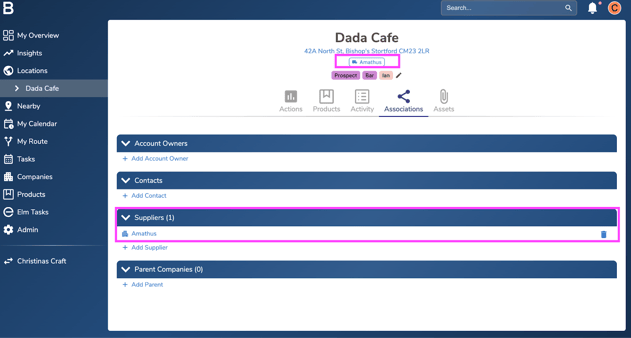
- Suppliers (RTM) : Suppliers are where you can track the wholesaler/ RTMs that are supported by that specific location, and can be easily managed from your laptop or in the field by a sales rep.
By adding the suppliers supported by each of your customers, you can easily filter down your entire list of locations to find exactly which locations support specific RTM’s and ensure that your sales reps know who they can sell too.
- Parent Companies (Groups): Parent companies allow you to link multiple locations together under one group so they can be easily filtered and managed by your team.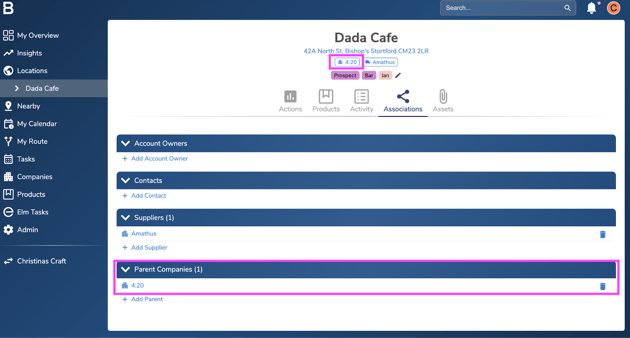
Troubleshooting:
If you are still having any issues, please contact the Bowimi Support Team for help.
-