![White_Bowimi_Logo_2025.png]](https://help.bowimi.com/hs-fs/hubfs/White_Bowimi_Logo_2025.png?height=40&name=White_Bowimi_Logo_2025.png)
Pre requisites:
1.You must have Admin/Manager access edit surveys.
2. If you do not see the admin tab or cannot perform the actions, please contact your leadership team or Bowimi Support.
Steps:
-
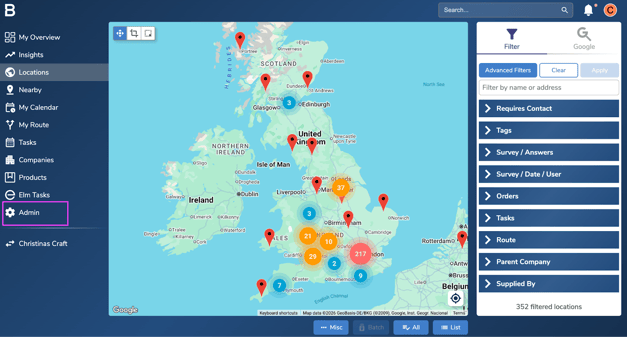
Navigate to Admin Tab on the account.
-
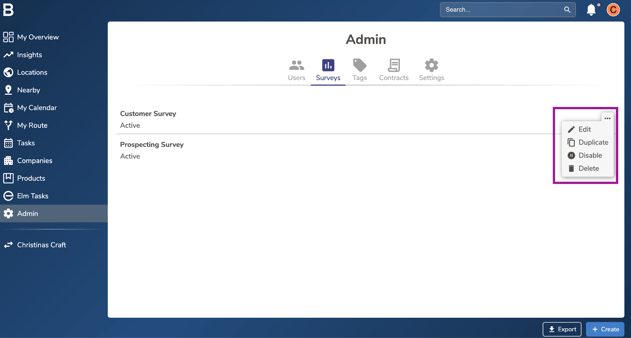
Click on 'Surveys' tab and click on the “...” next to the survey to edit.
-
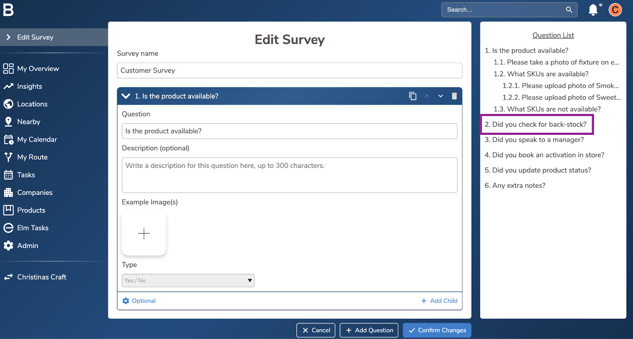
Use the question list on the right hand side to navigate to the question to amend.
-
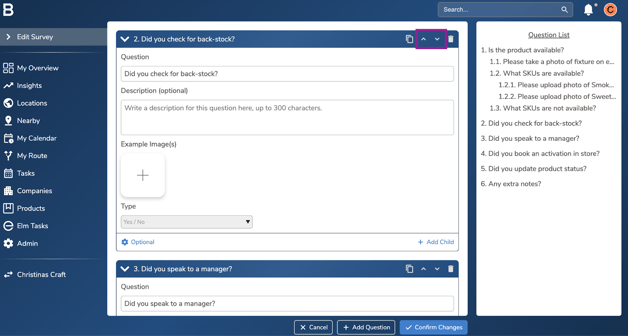
To move the order of the questions, use the “arrows” next to the question tab.
-
To edit an already saved answer “Type” on the question, duplicate the question and change the answer type from the copied version.
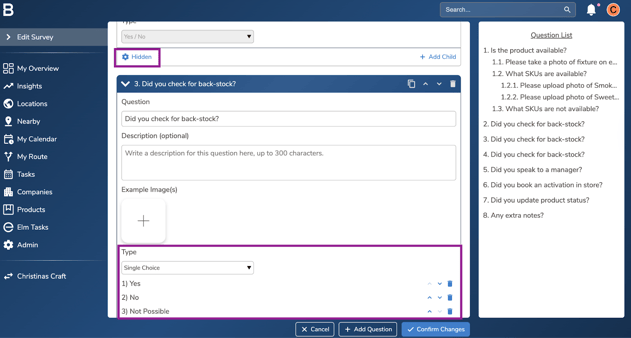
Note: Do hide the old question to help the team capture the new answer type.
-
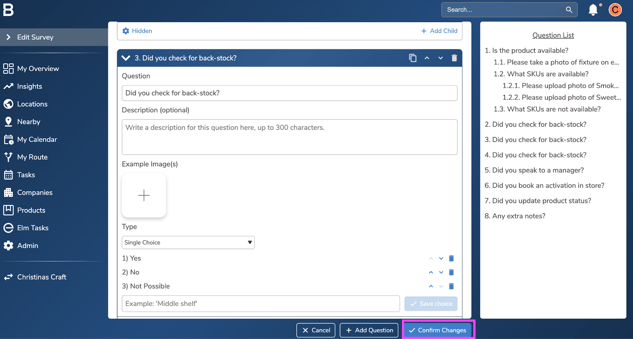
Click “Confirm changes” to save the edits on the survey and set it live for the team.
Troubleshooting:
-
In case of permissions error please reach out to your Admin or leadership team for accessibility.
-
Still having issues?
- Contact the Bowimi Support Team for help.