![White_Bowimi_Logo_2025.png]](https://help.bowimi.com/hs-fs/hubfs/White_Bowimi_Logo_2025.png?height=40&name=White_Bowimi_Logo_2025.png)
Pre-requisite:
Please ensure that you have at least one live survey built in your Bowimi account in order to be able to fill in a survey during your visit.
Steps:
-
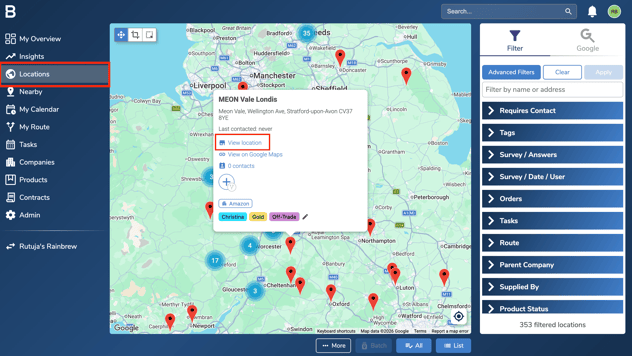
Go to the Locations page and select the location for which you'd like to fill in a survey. Next, click 'View Location'.
-
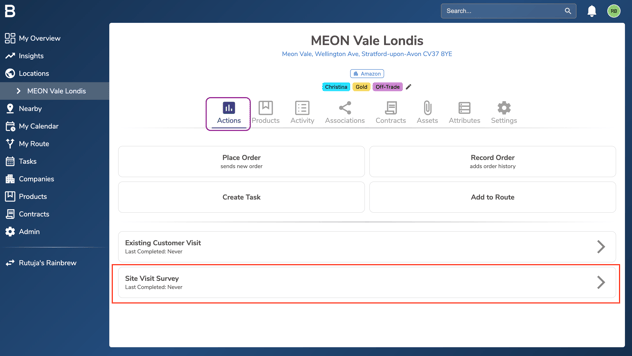
In the Actions tab, scroll down to the Survey section and click on the relevant survey.
-
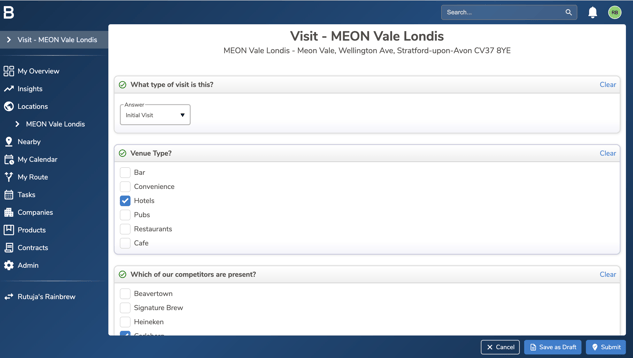
Start filling in the answers to the questions that appear.
-
Once you have filled in the survey, click 'Submit' to save your responses against that location.
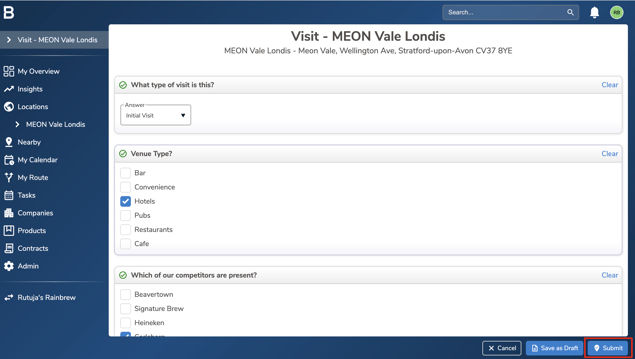
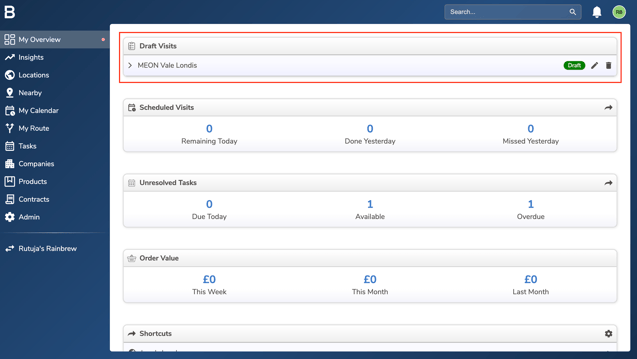
Note: If you're unable to submit the survey due to a poor network connection, click 'Save as Draft' and submit it later from the My Overview page once you have a better connection.
Troubleshooting:
If you are still having any issues, please contact the Bowimi Support Team for help.