![White_Bowimi_Logo_2025.png]](https://help.bowimi.com/hs-fs/hubfs/White_Bowimi_Logo_2025.png?height=40&name=White_Bowimi_Logo_2025.png)
Pre-requisites:
1.You must have Admin/Manager access to build or manage surveys.
2. If you do not see the admin tab or cannot perform the actions, please contact your leadership team or Bowimi Support.
Steps:
-
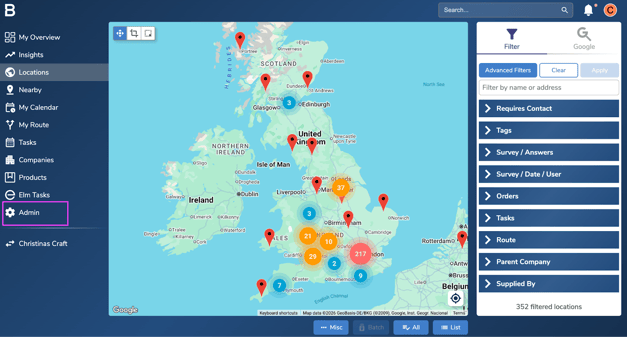
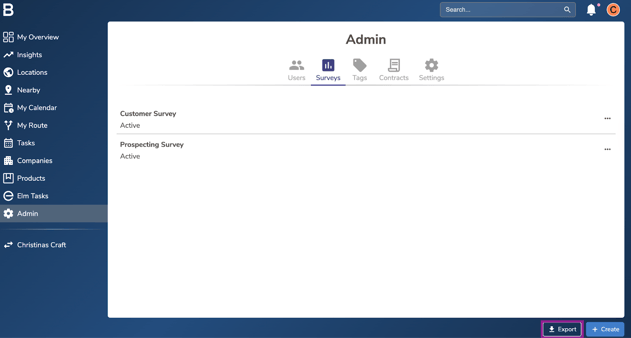
Navigate to Admin Tab on the account.
-
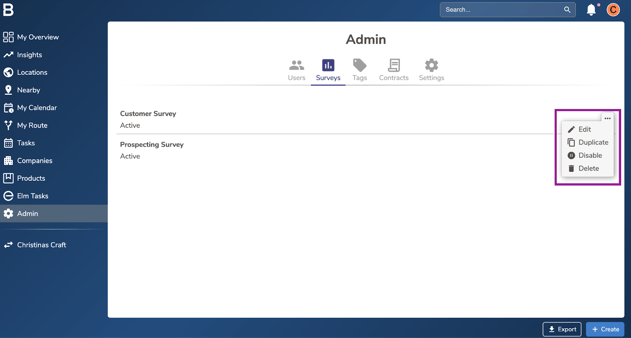
Click on 'Surveys' tab and click on the “...” next to the desired survey.
-
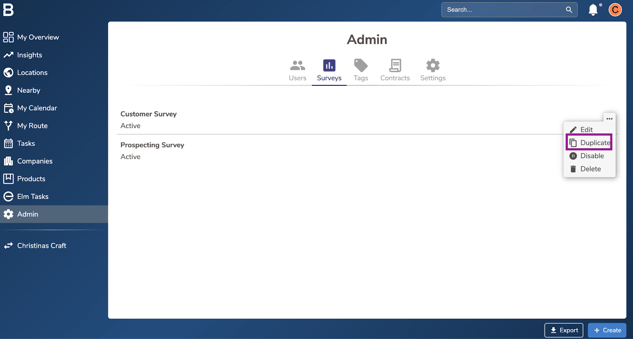
You can “Duplicate” a survey, creating a new identical survey to one being duplicated with all the same questions and settings.
-
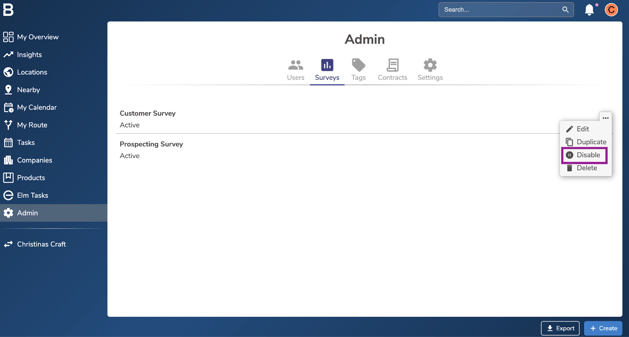
You can hide a survey from reps in the field, without losing all of the data associated with the survey by clicking “Disable”. This is almost always a better idea than deleting the survey.
-
Click the “Export” button located at the bottom of the page, to export your team’s survey responses to a spreadsheet with all of their answers to each question.
-
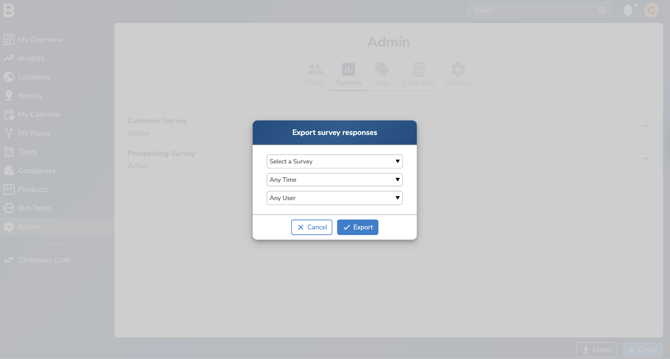
Filter the export down by survey, time frame, and user if needed and click "Export".
Troubleshooting:
-
In case of permissions error please reach out to your Admin or leadership team for accessibility.
-
Still having issues?
- Contact the Bowimi Support Team for help.