![White_Bowimi_Logo_2025.png]](https://help.bowimi.com/hs-fs/hubfs/White_Bowimi_Logo_2025.png?height=40&name=White_Bowimi_Logo_2025.png)
Steps:
-
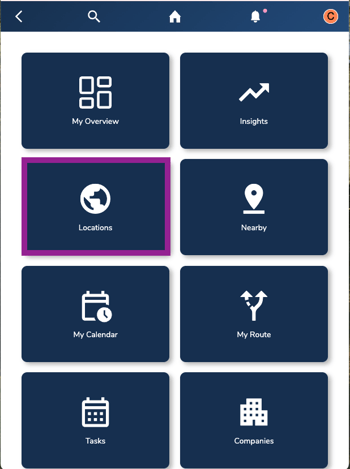
Navigate to the Locations tab on your account.
-
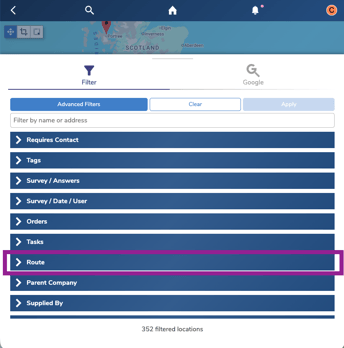
On the Explore, filter the locations down by “Routes”.
-
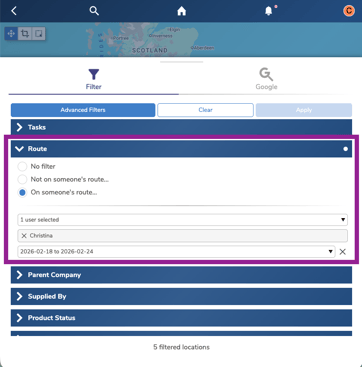
Under the Routes Filter, click on “Someones’ Route” and select your name and date scheduled for visit.
-
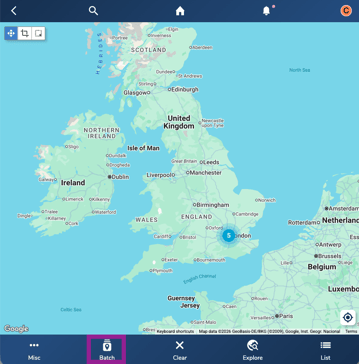
Click back on the map and click "All" and then click “Batch”.
-
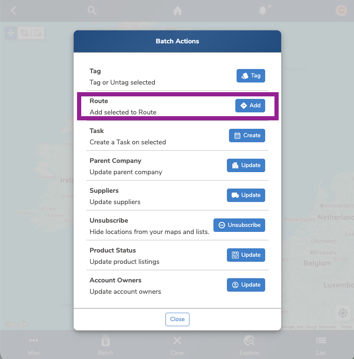
Under the Batch pop up, click Add Route.
-
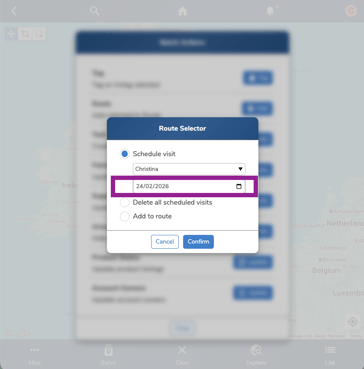
On the “schedule visit”, select the day in which you would like to migrate these sites to.
-
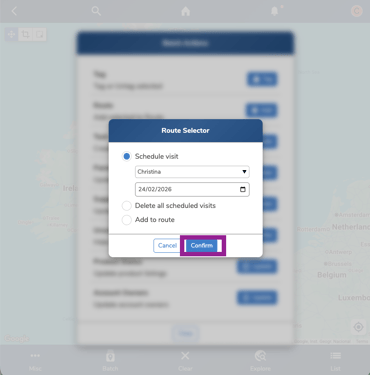
Click “Confirm” to migrate the route to "My Calendar".
Troubleshooting:
If you are still having any issues, please contact the Bowimi Support Team for help.