![White_Bowimi_Logo_2025.png]](https://help.bowimi.com/hs-fs/hubfs/White_Bowimi_Logo_2025.png?height=40&name=White_Bowimi_Logo_2025.png)
Pre-requisites:
- You must have an order profile set up for the corresponding distributors to place an order.
- If you don’t have an order profile, please contact the admin to have it created.
Steps:
-
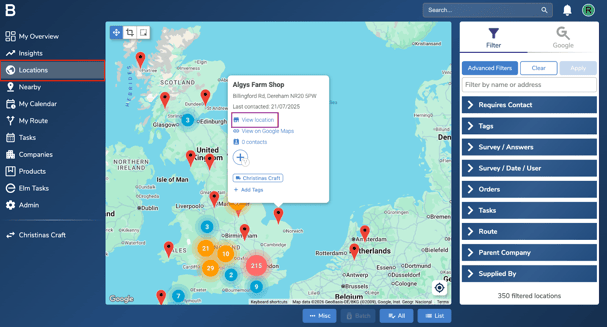
Navigate to the ‘Locations’ page. Find the location you wish to place an order for and click ‘View Location’.
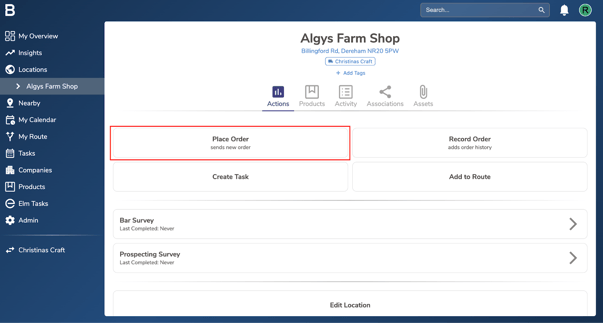
- Next, click the ‘Place Order’ option in the actions tab.
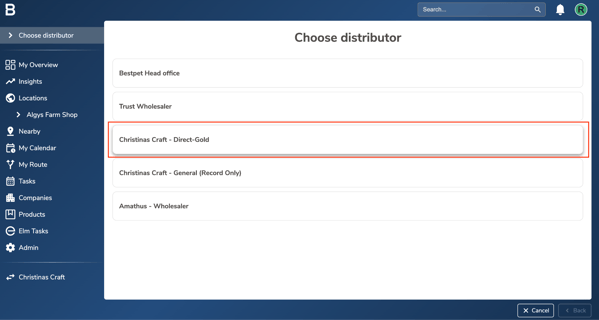
- Select a direct distribution profile to place your order.
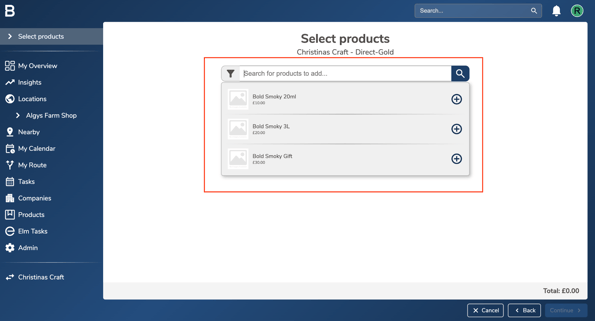
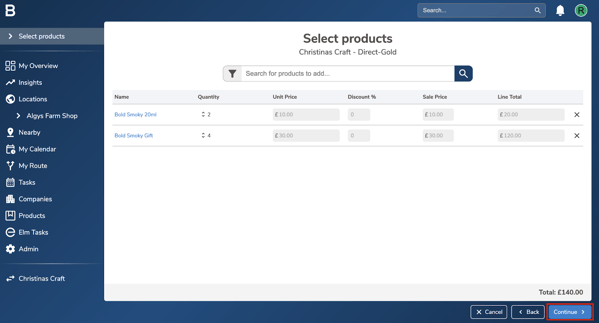
- Add the products you’d like to order by clicking on the search bar and selecting the relevant items.
- Edit the quantity for each product as needed. You can also apply a discount in the ‘Discount %’ column, if applicable. Once all details are entered, click “Continue”.
- Fill in the order details and add any notes for the distributor, customer, or internal team in the relevant Notes sections. Click “Finish” to place the order.
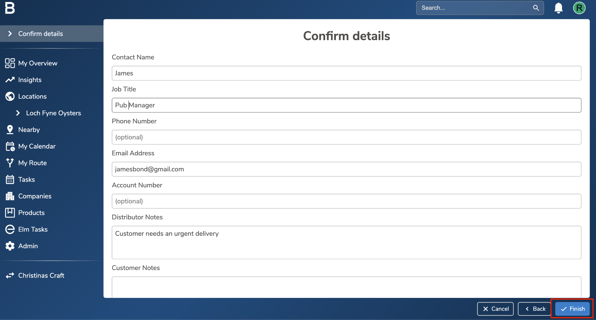
Note: Once the order is placed, an email confirmation will be sent to the distribution team and the customer as per the distribution profile set up.
Troubleshooting:
- Unable to place a direct order?
- Contact your Admin to set this up on the account. - Still having issues?
- Contact the Bowimi Support Team for help.