![White_Bowimi_Logo_2025.png]](https://help.bowimi.com/hs-fs/hubfs/White_Bowimi_Logo_2025.png?height=40&name=White_Bowimi_Logo_2025.png)
Steps:
-
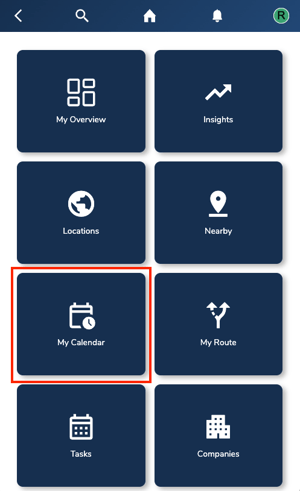
Go to the “My Calendar” tab in your account.
-
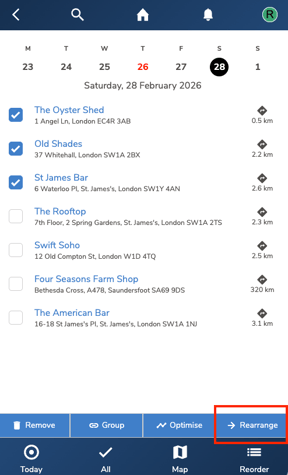
Select the location that you want to reschedule to a later date. You can also select all the locations if you want. Next, click the “Rearrange” option at the bottom.
-
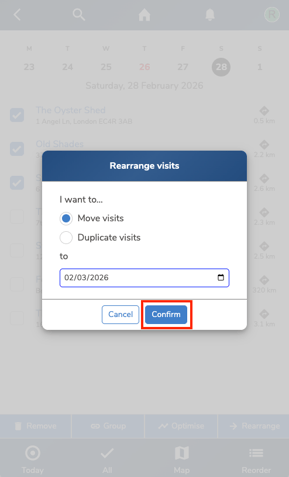
In the pop up, select Move Visits if you want to visit the selected locations at a later date. Select Duplicate Visits if you want to duplicate the route for some other day. Select the respective date and click “Confirm”.
-
You will find that the selected locations have been moved to the selected date in your calendar in "My Calendar" tab.
Troubleshooting:
If you are still having any issues, please contact the Bowimi Support Team for help.