![White_Bowimi_Logo_2025.png]](https://help.bowimi.com/hs-fs/hubfs/White_Bowimi_Logo_2025.png?height=40&name=White_Bowimi_Logo_2025.png)
Pre-Requisites:
-
You must have permissions given to the app as part of the settings for Routes.
Steps:
-
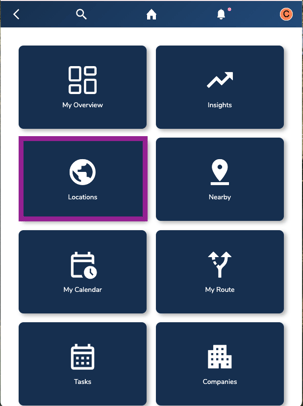
Navigate to the Locations tab on your account.
-
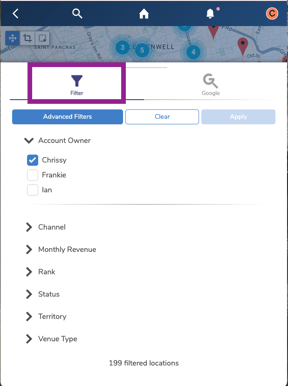
On the Explore, filter the locations down by tags if needed to get a list of sites to add on the route.
-
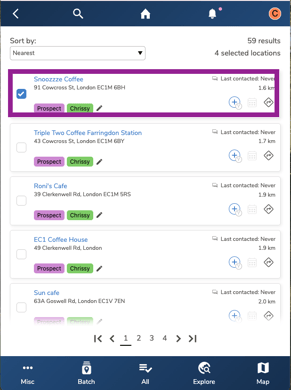
Select the locations:
Map View: Use the Map Tool to draw the box over to the sites you wish to add on your routes.
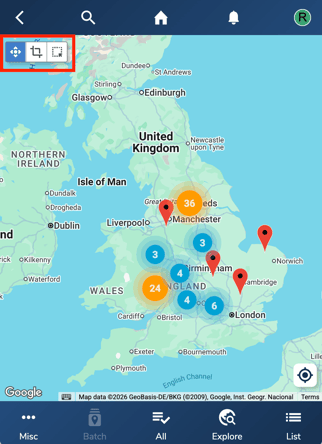
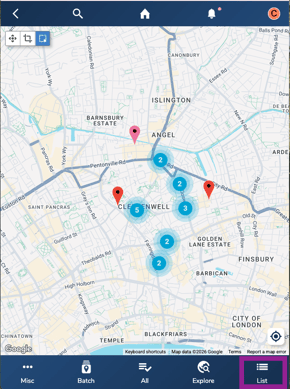
List View: Click on the bottom corner “LIST” and select the sites by clicking the boxes.
 .
. 
-
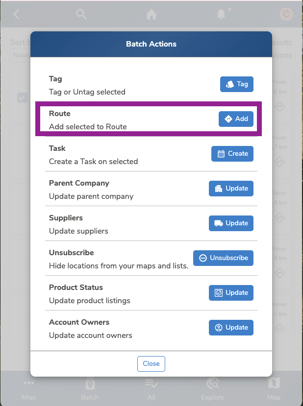
Click "All" at the bottom and then click “Batch”. Select “Add” next to the Route.
-
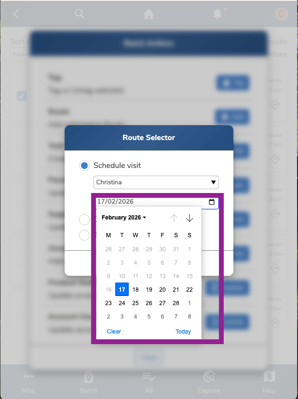
On the Schedule Visit, select the date for when you would like to plan your visit.
Note: The date is by default set for the present day.
-
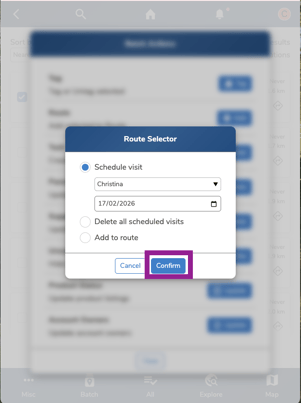
Click “Confirm” and navigate to the “My Calendar” tab in the home page.
-
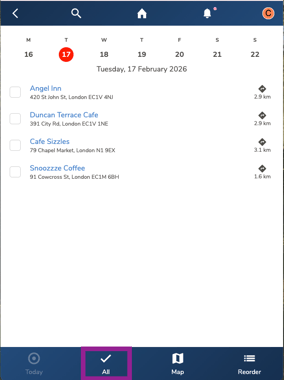
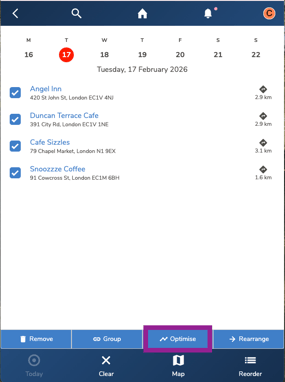
On the Calendar page, select “All” at the bottom and then click “Optimise”.
-
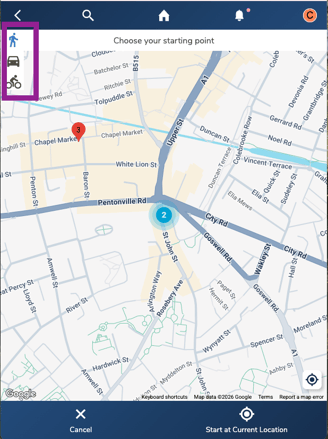
On the top corner, select the mode of transport which is walk, drive or bike.
-
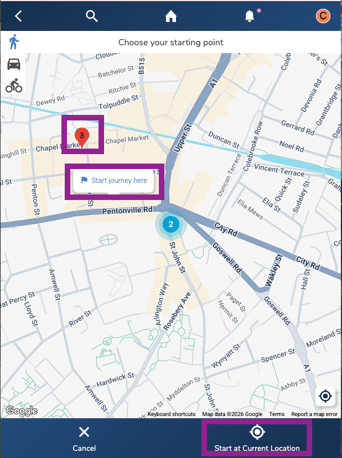
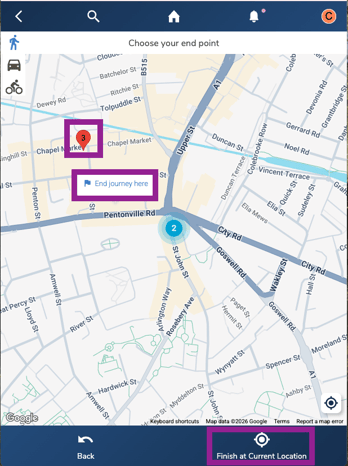
In the map, choose the starting point anywhere on the map, red pins or current location.
-
Similarly, choose the end point anywhere on the map, red pins or current location.
-
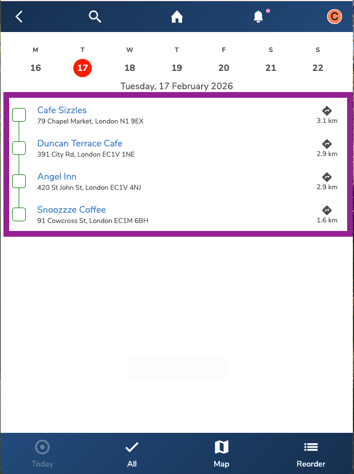
The venues would be optimised for that day and ready for you to visit.
Tip: Click on the “Directions Arrow” to access the google maps for the route to the venue.
Troubleshooting:
-
Can’t optimise route?
-
Make sure the app has permissions to access your location.
-
-
Still having issues?
-
Contact the Bowimi Support Team for help.
-