![White_Bowimi_Logo_2025.png]](https://help.bowimi.com/hs-fs/hubfs/White_Bowimi_Logo_2025.png?height=40&name=White_Bowimi_Logo_2025.png)
Pre-Requisites:
- You must have an order profile set up for the corresponding distributors for this to populate.
- If you don’t have an order profile, please contact the admin to have it created.
Steps:
-
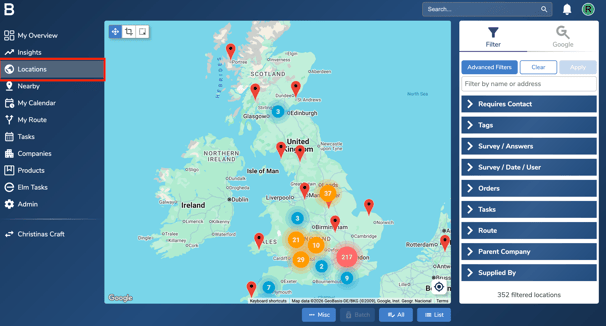
Navigate to the Locations tab on your account.
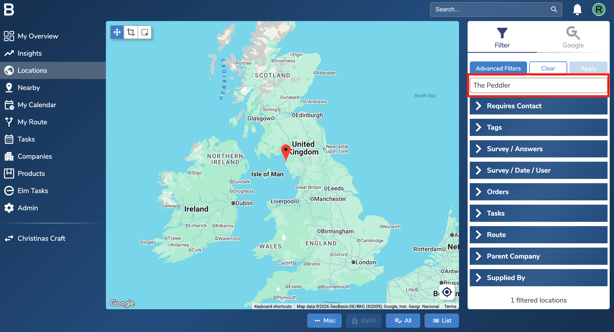
- Search for the location to record the order via the search bar.
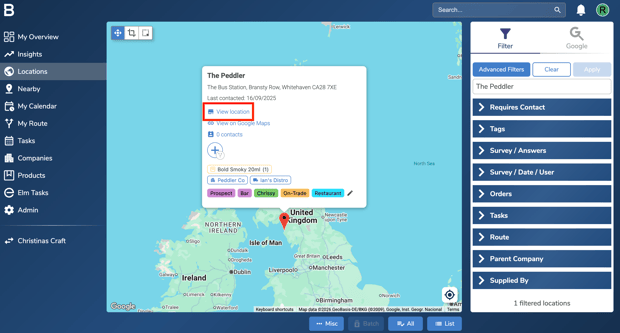
- Click on “View Location” to open the dedicated page of the site.
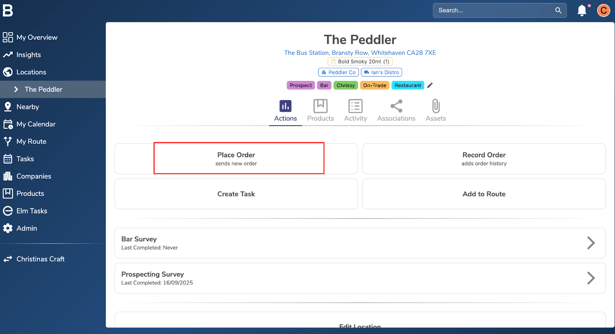
- Under the actions tab, click on “Place Order” to capture historical order.
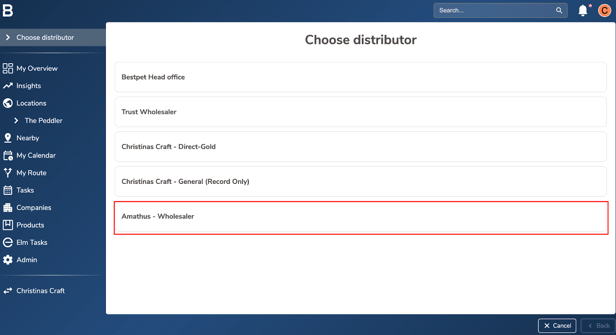
- Choose the distributor through which you would like to place an order with.
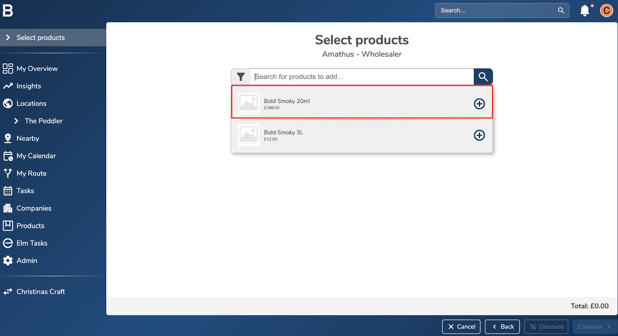
- Add the products requested to purchase from the respective supplier using the drop down or simply type in the product name.
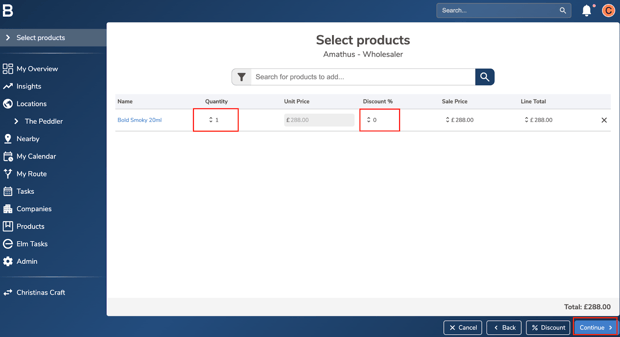
- Enter the quantity and include any discounts if eligible. Click “Continue” if you are happy to proceed.
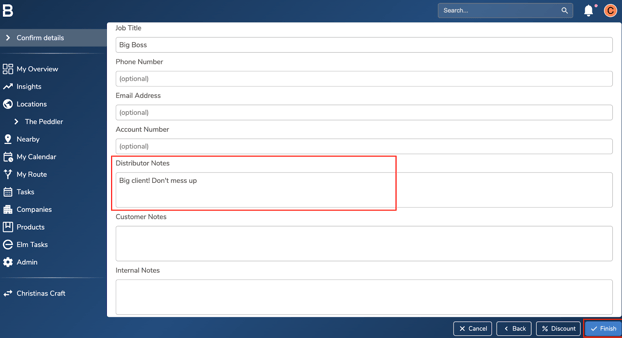
- Add the contact at the venue to receive an order email or simply use the “Saved Contacts” drop down to select one.
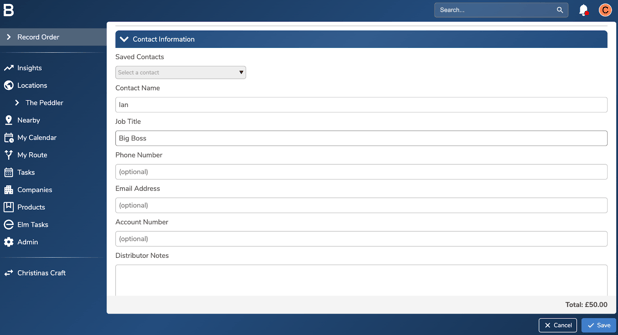
- Add Notes to your Distributor/Customer/Internal team for the respective order and click “Finish”.
Troubleshooting:
- Can’t place the orders?
- Ensure the order profiles are configured for the appropriate distributor.
- Keep each distributor’s product list up to date within its order profile.
- Still having issues?
- Contact the Bowimi Support Team for help.