![White_Bowimi_Logo_2025.png]](https://help.bowimi.com/hs-fs/hubfs/White_Bowimi_Logo_2025.png?height=40&name=White_Bowimi_Logo_2025.png)
Steps:
-
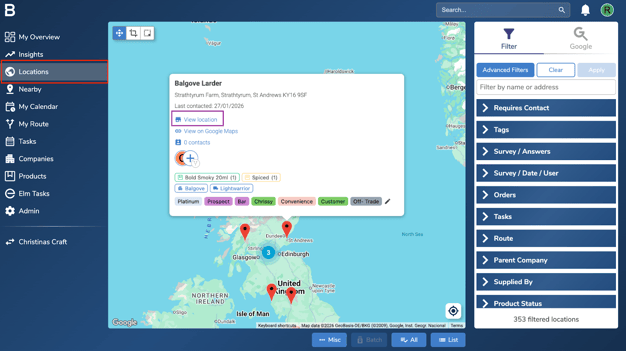
Go to the Locations page on your platform, select the respective location and click on “View Location”.
-
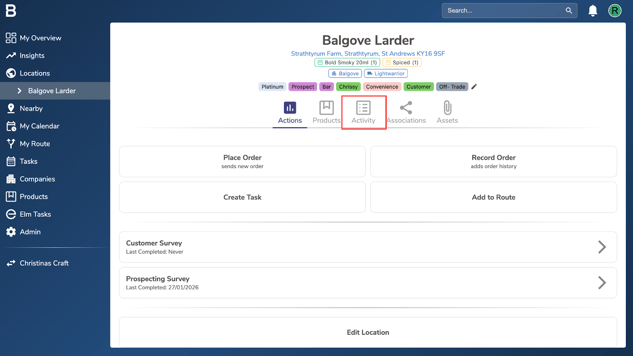
Next click on the “Activity” tab.
-
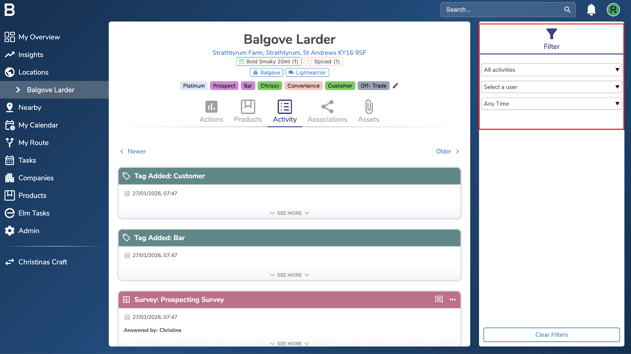
Use the filter tab on the right to filter by different activities, users and time periods.
Troubleshooting:
If you are still facing any issues, please contact the Bowimi Support Team for help.